SIGN IN YOUR ACCOUNT TO HAVE ACCESS TO DIFFERENT FEATURES

Login with Google

CREATE AN ACCOUNT FORGOT YOUR PASSWORD?

FORGOT YOUR DETAILS?

AAH, WAIT, I REMEMBER NOW!

CREATE ACCOUNT

ALREADY HAVE AN ACCOUNT?

Login with Google

QUESTIONS? CALL: 865-637-8986
  • SIGN UP
  • LOGIN

SimpleIndex

  • Solutions
  • Features
  • Pricing
  • Download
  • Docs & Support
  • My Account
  • MY CART
    No products in cart.

SimpleIndex 12 reads every page locally first and sends only the hard fields to the cloud, if you choose. See On-premise OCR, cloud when it pays.

Sunshine Software OCR refers to “on-premises optical character recognition software”. Why Sunshine? Because sky is clear and there are no clouds
On-premises OCR, or Optical Character Recognition, refers to a technology or software system that performs character recognition and text extraction from images or documents locally, within an organization’s own infrastructure, rather than relying on external servers or cloud-based services. In other words, the OCR process takes place on the organization’s own hardware or servers, rather than sending data to a third-party cloud service for processing.

Here are some key points about on-premises OCR:

  1. Local Processing: On-premises OCR software is installed and operates on the organization’s own servers or computers. This means that sensitive or confidential data doesn’t leave the organization’s premises, which can be a critical requirement for companies with strict data security and privacy regulations.
  2. Data Privacy and Security: Organizations that deal with highly sensitive information, such as medical records, legal documents, or financial data, often prefer on-premises OCR to maintain better control over their data and ensure compliance with privacy regulations.
  3. Network Independence: On-premises OCR doesn’t rely on an internet connection for processing, making it suitable for environments with limited or unreliable internet connectivity.
  4. Customization: On-premises OCR solutions can often be customized to meet specific business needs and integrated into existing workflows and systems.
  5. Cost Considerations: While on-premises OCR provides greater control and security, it typically requires more substantial upfront investments in hardware, software, and IT infrastructure, compared to cloud-based OCR services. Additionally, organizations are responsible for maintenance, updates, and support. However, many cloud solutions make you to sign contracts charging you annually. Because of that accumulated costs of cloud solutions are often more expensive than it seem. On-premise Sunshine solutions are offered for onetime fixed payment, thou.  Here is a study on Total Cost of Ownership for OCR solutions exploring the costs.
  6. Scalability: Scalability with on-premises OCR may require additional investment in hardware and software licenses as the volume of OCR processing increases.

In contrast, cloud-based OCR services rely on external servers and infrastructure to process OCR tasks, offering scalability and reduced upfront costs, but they may raise concerns about data privacy and security, especially for organizations dealing with sensitive data. However, remember that cloud is just someones’ server that you do not have any control of.

The choice between on-premises and cloud-based OCR depends on an organization’s specific needs, regulatory requirements, and available resources. Some organizations may opt for a hybrid approach, where critical or sensitive data is processed on-premises, while non-sensitive data is processed in the cloud for efficiency and scalability.

On-premise OCR in SimpleIndex →

Bates Stamping

Tuesday, 06 February 2018 by Simple Software
Bates numbers, stamped as you scan
Bates Numbering SoftwareBates StampingImprinting & WatermarkingLegaloffline OCRon-prem OCRon-site OCROne-time payment OCRPDF Document ScanningScanning SoftwareSelf-hosted OCRSubscription free OCRSunshine OCR (Sunshine Software)TIFF PDF Annotations
No Comments

Ensures All Required Documents are Scanned

Tuesday, 06 February 2018 by Simple Software
Some applications have a set of standard documents that are required to be present in each batch. SimpleIndex has the ability to specify a list of required values for a field then audit each batch at the end to ensure all are present. Any missing pages may be scanned and indexed automatically from this screen
Distributed ScanningDocument ImagingDocument IndexingFront End Scanningon-prem OCRon-site OCRRemote CaptureRequired Documents AuditingScanning SoftwareSunshine OCR (Sunshine Software)
Read more
No Comments

The All-In-One Scanning & Sorting Tool

Tuesday, 30 January 2018 by Simple Software
SimpleIndex® has the ability to perform a wide variety of scanning and document organization tasks quickly and easily. This makes it a must-have tool for IT departments and consultants who often need to: Scan and store various documents on network shares or cloud storage Organize existing MS Office, PDF and other files on your network
1-Click ProcessingBar Code ScanningBates StampingCommand-LineDatabaseDocument AutomationDocument Capture SolutionDocument ImagingDocument Management Software (Personal Document Management)Imprinting & WatermarkingMS OfficeOCR (Optical Character Recognition)Office PDF Text Processingoffline OCRon-prem OCRon-site OCROne-time payment OCRPDF BookmarkingRPA (Robotic Process Automation)Scanning SoftwareSelf-hosted OCRSubscription free OCRSunshine OCR (Sunshine Software)TWAIN & ISIS Scanning
Read more
No Comments

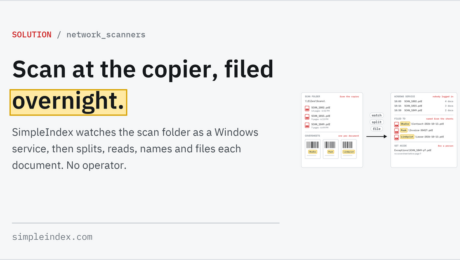
Network Scanners & Copiers

Tuesday, 30 January 2018 by Simple Software
Scan at the copier, filed overnight.
1-Click ProcessingBar Code ScanningBarcode Recognition SoftwareDistributed ScanningDocument Indexingoffline OCRon-prem OCRon-site OCROne-time payment OCRPDF Document ScanningScanning Coversheet (SimpleCoversheet)Self-hosted OCRServer ProcessingSubscription free OCRSunshine OCR (Sunshine Software)Unattended
No Comments

Indexing from Applications with Screen OCR

Monday, 29 January 2018 by Simple Software
Some documents are difficult or impossible to automate with OCR. For example, documents with non-standard layouts, unconstrained handwriting or very poor scan quality. In applications like invoice processing, fully automating the data entry can require expensive software and weeks of consulting. Even after all that expense, many users miss the interface and data validations that
Database AutofillDocument AutomationOCR (Optical Character Recognition)offline OCRon-prem OCRon-site OCROne-time payment OCRRPA (Robotic Process Automation)Screen Scraping OCRScreenshot OCRSelf-hosted OCRSubscription free OCRSunshine OCR (Sunshine Software)Zone OCR
Read more
No Comments

Remote Document Capture

Thursday, 25 January 2018 by Simple Software
SimpleIndex is designed around the idea that it is more efficient to have a scanner in every office, making imaging a part of the daily routine instead of a new company division. SimpleIndex makes this possible by greatly reducing the cost and complexity of the capture interface and providing unique features that make it easy
Distributed ScanningDocument ImagingFast ScanningFront End Scanningoffline OCRon-prem OCRon-site OCROne-time payment OCRRemote CaptureRequired Documents AuditingSelf-hosted OCRSubscription free OCRSunshine OCR (Sunshine Software)TWAIN & ISIS Scanning
Read more
No Comments

Automatic Indexing Using Existing Data

Wednesday, 24 January 2018 by Simple Software
Automatic Indexing Using Existing Data Autofill, writing new records and attaching scans to existing ones are covered for SimpleIndex 12 on the Database integration page. The Autofill feature of SimpleIndex is an easy way to associate many index fields with one document without retyping data that already exists in another database. Autofill uses a database
1-Click ProcessingAutomatic Data CaptureAutomatic Indexing SoftwareBarcode Recognition SoftwareDatabaseDatabase AutofillDocument AutomationDocument IndexingFull Text IndexingKeyword IndexingMetadataMicrosoft Word Data ExtractionOCR (Optical Character Recognition)Office PDF Text Processingoffline OCRon-prem OCRon-site OCROne-time payment OCRPDF Data Extraction SoftwareScanned Document IndexingScanning SoftwareSelf-hosted OCRSubscription free OCRSunshine OCR (Sunshine Software)
Read more
No Comments

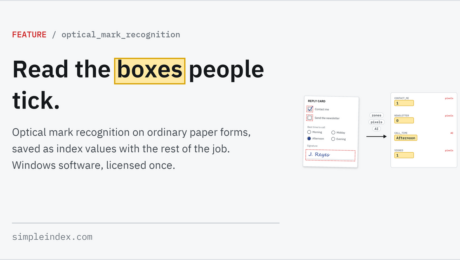
Optical Mark Recognition (OMR)

Tuesday, 23 January 2018 by Simple Software
Read the boxes people tick
Automatic Data CaptureBatch ScanningDocument SeparationOCR (Optical Character Recognition)offline OCROMR (Optical Mark Recognition)on-prem OCRon-site OCROne-time payment OCRSelf-hosted OCRSubscription free OCRSunshine OCR (Sunshine Software)
No Comments

SimpleIndex Walkthrough

Tuesday, 23 January 2018 by Simple Software
What Is SimpleIndex? SimpleIndex is a tool to organize your documents automatically, whether they are scanned or digital. It provides the advanced OCR automation features of enterprise-class software, with an interface and workflow that is optimized for the desktop user. It can work as a standalone document manager, or a capture front-end to any app,
ABBYY FineReaderDatabaseDocument IndexingOCR (Optical Character Recognition)on-prem OCRon-site OCRScanning SoftwareSearchSunshine OCR (Sunshine Software)Workflow Manager
Read more
No Comments

Streamlined Interface

Tuesday, 23 January 2018 by Simple Software
Maximum Data, Minimum Clicks As with any repetitive task, a few seconds saved scanning and filing a single document quickly adds up to dozens or hundreds of hours over the course of a long project or daily routine. The most import part of planning your document capture project is to find the most efficient way
Automatic Data CaptureBarcode Recognition SoftwareBatch ScanningCommand Line InterfaceDatabaseDocument AutomationDocument Capture SolutionDocument ClassificationDocument ImagingFast ScanningOCR (Optical Character Recognition)Office PDF Text Processingon-prem OCRon-site OCRRPA (Robotic Process Automation)Scanning SoftwareServer ProcessingSunshine OCR (Sunshine Software)TWAIN & ISIS ScanningUnattendedWorkflow Manager
Read more
No Comments

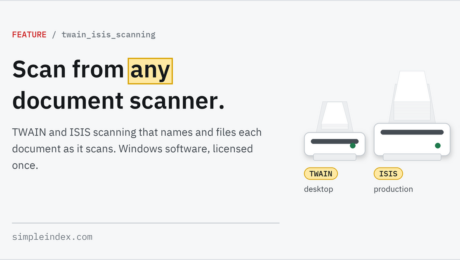
TWAIN and ISIS Scanning

Tuesday, 23 January 2018 by Simple Software
Scan from any document scanner
Batch ScanningDistributed ScanningDocument Capture SolutionDocument ScanningFast ScanningFront End ScanningImage ScanningISIS Driveron-prem OCRon-site OCRPDF Archive Scanning SoftwareRemote CaptureScanning SoftwareSharePoint Scanning & MigrationSunshine OCR (Sunshine Software)TWAIN & ISIS Scanning
No Comments

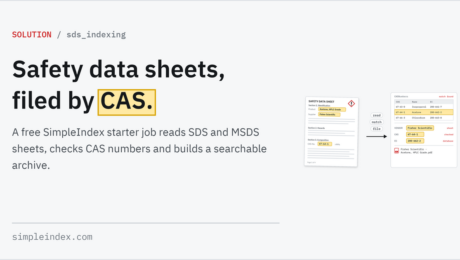
MSDS Material Safety Data Sheets Indexing

Wednesday, 17 January 2018 by Simple Software
Safety data sheets, filed by CAS.
Document IndexingOCR (Optical Character Recognition)offline OCRon-prem OCRon-site OCROne-time payment OCRPDF Document ScanningScanning SoftwareSelf-hosted OCRSubscription free OCRSunshine OCR (Sunshine Software)Text Processing
No Comments

SimpleInvoice Invoice Processing Solution

Wednesday, 17 January 2018 by Simple Software
SimpleInvoice is a preconfigured solution that uses the OCR and dictionary matching functionality of the SimpleIndex scanning and indexing software to automatically capture key information from invoices needed for Accounts Payable processing. SimpleInvoice requires minimal configuration to get started, and comes with everything you need to capture most common invoice styles. Use SimpleInvoice to: Capture
Accounts Payable AutomationDatabaseDatabase AutofillDocument ClassificationInvoice OCROCR (Optical Character Recognition)offline OCRon-prem OCRon-site OCROne-time payment OCRPDF Document ScanningQuickBooks Document ManagementQuickBooks OnlineSelf-hosted OCRSubscription free OCRSunshine OCR (Sunshine Software)Text Processing
Read more
No Comments

How To Scan Documents

Saturday, 13 January 2018 by Simple Software
So you want to digitize your documents? We’re here to make that as simple and not terribly boring as possible! This page has both a beginner’s guide to document scanning concepts, as well as an advanced guide to automating batch document scanning processes with bar codes and OCR. The guide is written to give you
ABBYY FineReaderOCR (Optical Character Recognition)on-prem OCRon-site OCRScanned Document IndexingScanning SoftwareSunshine OCR (Sunshine Software)
Read more
No Comments

Full-Page OCR Indexing Demo

Saturday, 13 January 2018 by Simple Software
This sample job demonstrates the ability for SimpleIndex to convert scanned documents to searchable PDF files and extract index data from the OCR text. It also demonstrates the multi-user workflow capabilities. Step 1 uses a full-page OCR process on each image. Field data is extracted from the full-page text using template and dictionary matching algorithms.
1-Click ProcessingAccounts Payable AutomationDatabaseDocument IndexingDocument RetrievalInvoice OCROCR (Optical Character Recognition)OCR Scanningoffline OCRon-prem OCRon-site OCROne-time payment OCRSearchSearchable PDF OCRSelf-hosted OCRSubscription free OCRSunshine OCR (Sunshine Software)UnattendedZone OCR
Read more
No Comments

Barcode Scanning Guide

Saturday, 13 January 2018 by Simple Software
So you want to organize your documents using barcodes? That is an excellent idea! Not only will it improve the speed and accuracy of your document management workflow, but it is easier to set up than it sounds. The guide is written to give you real information instead of marketing, but you can follow the
Bar Code ScanningBarcode OCRBarcode Printing (Bar Code Printing)Barcode Reading SoftwareBarcode Recognition SoftwareBatch ScanningDocument Capture SolutionDocument ScanningFast ScanningFront End ScanningImage Scanningon-prem OCRon-site OCRPDF Archive Scanning SoftwarePDF Barcode RecognitionScanned Document IndexingScanning SoftwareSunshine OCR (Sunshine Software)TWAIN & ISIS Scanning
Read more
No Comments

PDF Text Processing Demo

Friday, 12 January 2018 by Simple Software
This sample job demonstrates the PDF text processing capabilities of SimpleIndex by extracting the Document Number, Date, Document Type, Customer and Total from a number of documents without OCR, by processing the text layer of PDF files. Computer-generated PDF files, such as those created using PDF printer drivers, already contain digitized text. SimpleIndex reads the
Accounts Payable AutomationOCR (Optical Character Recognition)Office PDF Text Processingoffline OCRon-prem OCRon-site OCROne-time payment OCRPDF Archive Scanning SoftwarePDF Data Extraction SoftwarePDF Document ScanningSearchable PDF OCRSelf-hosted OCRSubscription free OCRSunshine OCR (Sunshine Software)Text Processing
Read more
No Comments

Zone OCR with Template Matching

Friday, 12 January 2018 by Simple Software
This video shows the Zone OCR Invoice Processing sample job. Zone OCR is the traditional method for extracting index data from printed text appearing in fixed locations on every page. The video also shows how Zone OCR is enhanced with SimpleIndex‘s Template Matching and Dictionary Matching features, giving you much more margin for error than
Document IndexingInvoice OCROCR (Optical Character Recognition)offline OCRon-prem OCRon-site OCROne-time payment OCRSelf-hosted OCRSubscription free OCRSunshine OCR (Sunshine Software)Zone OCR
Read more
No Comments

Compare Leading Solutions

Tuesday, 07 November 2017 by dwilder
DatabaseDocument ImagingDocument Scanningoffline OCRon-prem OCRon-site OCROne-time payment OCRSelf-hosted OCRSubscription free OCRSunshine OCR (Sunshine Software)
No Comments

Video Demos

Tuesday, 07 November 2017 by dwilder
These videos demonstrate several ways SimpleIndex® can automatically index different types of documents. If you are new to SimpleIndex, watching these videos is the easiest way to see what it can do. You can follow along using the sample files included in the SimpleIndex Trial. Zone OCR with template matching Document barcode recognition PDF OCR
1-Click ProcessingBarcode Recognition SoftwareCommand-LineContentverseDocument IndexingInvoice OCRMortgageOCR (Optical Character Recognition)Office PDF Text Processingoffline OCRon-prem OCRon-site OCROne-time payment OCRQuickBooks Document ManagementScanning SoftwareScreen Scraping OCRScreenshot OCRSelf-hosted OCRSharePoint Scanning & MigrationSubscription free OCRSunshine OCR (Sunshine Software)TWAIN Scanning SoftwareZone OCR
Read more
No Comments
  • 1
  • 2
  • 3

Search

Connect with Us!

What is 7+4?


Search Knowledge Base

Popular KB Articles

  • SimpleIndex - Harvest Scale Tickets, One per File
  • Laboratories
  • SimpleIndex Pro 1 Year User Subscription License
  • Batch OCR Software
  • Optical Mark Recognition (OMR)
  • Forms processing
  • Barcode OCR: split, name and file documents by the barcodes on them.
  • Food and agriculture

Feature Cloud

1-Click Processing Accounts Payable Automation Barcode Recognition Software AI Document Processing ABBYY FineReader Barcode Printing (Bar Code Printing) 2 of 5 Automatic PDF Separation Bar Code Scanning Barcode OCR Automatic Indexing Software Automatic Data Capture Archive & Convert Email to PDF Batch Scanning Amazon Textract AI Job Assistant Bar Codes AI Document Analysis Azure Document Intelligence Barcode Reading Software
SimpleIndex

On-premise document capture and indexing. Buy it once, run it on your own hardware.

865-637-8986

Newsletter

A few times a year. Unsubscribe any time.

Thanks. Watch for a confirmation email.

Buy

  • Pricing
  • Store
  • Edition and pricing sheet (PDF)
  • Compare all editions
  • Compare with other solutions
  • On-premise vs. cloud costs
  • Video demos
  • Partners and resellers

Features

  • Document capture
  • OCR software (Zone & Dynamic)
  • Batch OCR
  • TWAIN & ISIS scanning
  • PDF & Office text parsing
  • PDF form filling
  • Handwriting & ICR
  • OMR (mark recognition)
  • Forms processing
  • Barcode recognition
  • Database integration
  • Document classification
  • Image clean-up
  • Bates stamping
  • Amazon Textract
  • AI and LLM OCR

Solutions

  • Healthcare
  • Legal
  • Financial services
  • Education
  • Transportation
  • Casinos and gaming
  • Manufacturing and distribution
  • Government and public sector
  • Food and agriculture
  • Laboratories
  • AP automation & QuickBooks
  • SimpleInvoice
  • Local / on-premise AI

Support

  • Getting started
  • How to scan documents
  • Barcode scanning guide
  • Wiki
  • Knowledge base
  • SimpleIndex University
  • Release notes
  • AI Job Assistant
  • Upgrades
  • Check your license
  • Log in
  • Register an account

© 2026 Meta Enterprises, LLC | Knoxville, Tennessee | A Family Owned Company

© 2026 SimpleSoftware | Consulting Services in the Field of Software as a Service

Contact Privacy Policy Cookie preferences
TOP
SimpleIndex
Manage Cookie Consent
We use cookies to optimize our website and our service.
Functional cookies Always active
The technical storage or access is strictly necessary for the legitimate purpose of enabling the use of a specific service explicitly requested by the subscriber or user, or for the sole purpose of carrying out the transmission of a communication over an electronic communications network.
Preferences
The technical storage or access is necessary for the legitimate purpose of storing preferences that are not requested by the subscriber or user.
Statistics
The technical storage or access that is used exclusively for statistical purposes. The technical storage or access that is used exclusively for anonymous statistical purposes. Without a subpoena, voluntary compliance on the part of your Internet Service Provider, or additional records from a third party, information stored or retrieved for this purpose alone cannot usually be used to identify you.
Marketing
The technical storage or access is required to create user profiles to send advertising, or to track the user on a website or across several websites for similar marketing purposes.
  • Manage options
  • Manage services
  • Manage {vendor_count} vendors
  • Read more about these purposes
View preferences
  • {title}
  • {title}
  • {title}