
SimpleIndex recognises the barcodes on scanned pages and in PDFs, then uses their values to split a stack into documents, name each file and look up more data in your database.
Should I use barcode coversheets or OCR with LoanStacker?
Thursday, 01 October 2026
by dwilder
OCR identifies documents with no preparation; barcode coversheets are faster and nearly 100% accurate for files with few documents.
No Comments
Transportation
Saturday, 05 September 2026
by Simple Software
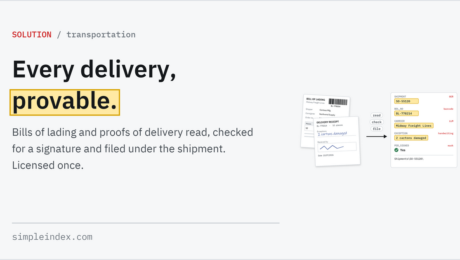
Barcode OCR: split, name and file documents by the barcodes on them.
Monday, 14 November 2022
by Simple Software
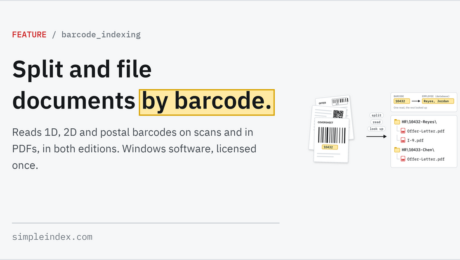
1-Click ProcessingBar Code ScanningBarcode Printing (Bar Code Printing)Barcode Recognition SoftwareCommand Line InterfaceCSVDocument IndexingDocument Separationoffline OCRon-prem OCRon-site OCROne-time payment OCRPatch CodePDF Document ScanningPDF417QR CodeScanning Coversheet (SimpleCoversheet)Scanning SoftwareSearchable PDF OCRSelf-hosted OCRServer ProcessingSubscription free OCRSunshine OCR (Sunshine Software)Unattended
Turn On Replacement Characters for Barcodes
Tuesday, 08 December 2020
by Alex Stewart
Please refer to the Wiki Documentation for the complete Bar Code Recognition reference. With OCR processing certain characters will read incorrectly in some cases, such as an I reading as a 1 and an O reading as a 0. If this is expected to happen you can set the OCR to use the character replacement feature to replace all
Change the Dictionary Separator Value
Monday, 29 July 2019
by Simple Software
This is used to change the dictionary separator value when doing thesaurus matching from the default character of | to any character(s) that you want. This can be useful in cases where the values you would like in your list or dictionary might include the pipe character or “|” or “Shift Backslash” This setting is
What are some other terms for Bar Code Scanning Software?
Monday, 29 July 2019
by aaron
Please refer to the Wiki Documentation for the complete Bar Code Recognition reference. People searching for software to read bar codes from scanned documents, or create document separator sheets for batch scanning operations, can use a variety of terms to find what they are looking for. This page helps you find Bar Code Scanning Software on our website. Related
Can SimpleIndex read bar codes from existing PDF files?
Wednesday, 28 February 2018
by dwilder
Please refer to the Wiki Documentation for the complete Bar Code Recognition reference. There are 2 types of PDF files. PDFs created by scanning applications use images, while PDF files created by software or printer drivers use text. SimpleIndex can read bar codes from either type of document. With image PDFs, SimpleIndex will use normal image barcode
- Published in Bar Codes, Import, Office PDF Text Processing
I cannot recognize PDF417 or QR Code bar codes. What does “Advanced “Only” mean?
Wednesday, 28 February 2018
by dwilder
Please refer to the Wiki Documentation for the complete Bar Code Recognition reference. This error applies to versions of SimpleIndex prior to version 7. All current versions of SimpleIndex include 2D barcode recognition. The Barcode and Professional licenses include the faster and more accurate Accusoft bar code recognition engine. In order to enable the Accusoft engine with
- Published in Bar Codes, Licensing & Installation
Can I split TIFF or PDF files based on barcodes as a separator and also name the file with the barcode value?
Wednesday, 28 February 2018
by dwilder
Please refer to the Wiki Documentation for the complete Bar Code Recognition reference. Yes you can split TIFF and PDF files using barcodes as well as name files using the values from barcodes. To do this simply create a barcode field and check the “Filename” and “Forward” options for that field on the Index tab. The “Filename”
- Published in Bar Codes, SimpleCoversheet
Will SimpleIndex read multiple barcodes on a page and save the value to the appropriate index field?
Wednesday, 28 February 2018
by dwilder
it can. By default barcodes on any page are read left to right and top to bottom. The first barcode read on the page will be filled into the first barcode field set up in SimpleIndex and so on. You can also narrow down results by matching against
- Published in Bar Codes
Is there a way to just use part of a bar code or OCR value? For example, extract “50” from the value “124450”
Wednesday, 28 February 2018
by dwilder
Please refer to the Wiki Documentation for the complete Bar Code Recognition reference. To do this example, create a barcode field (Field 1 for example) and a 2nd field with type “Fixed”. In the template for the 2nd field, enter %FIELD1[5,2]% to get “50” from “124450”. %FIELD1% would get the entire value for Field #1, the barcode
Automatic Data CaptureAutomatic Indexing SoftwareBar Code ScanningBar CodesBarcode OCRBarcode Reading SoftwareBarcode Recognition SoftwareClipboard OCRDocument ImagingDocument ScanningImage ScanningInvoice OCRKeyword IndexingOCR (Optical Character Recognition)OCR Form ProcessingOCR ScanningOffice PDF Text ProcessingPDF Barcode RecognitionPDF417QR CodeQuickBooks Document ManagementScanned Document IndexingScreen Scraping OCRScreenshot OCRTWAIN Scanning SoftwareZone OCR
- Published in Bar Codes, OCR, Office PDF Text Processing
How can I delete the barcode or blank page cover/separator sheet that I don’t need to save?
Wednesday, 28 February 2018
by dwilder
Please refer to the Wiki Documentation for the complete Bar Code Recognition reference. To delete any barcode page go into ‘Options’, to the ‘Barcode’ Tab and click the ‘Delete barcode page’ check box. Blank page deletion is done through the minimum file size threshold located in ‘Options’ in the ‘Batch’ Tab. The option is called ‘Min. File
- Published in Bar Codes, SimpleCoversheet
Some pages in my documents have unwanted barcodes that are being read. How can I exclude these from recognition?
Wednesday, 28 February 2018
by dwilder
Please refer to the Wiki Documentation for the complete Barcode Options reference. There are several methods for doing this. The fastest, most effective method is to enter a Template for your barcodes to ensure only barcodes that match a specific pattern will be used for that field. Unfortunately it is not always possible to define a template
- Published in Bar Codes
How can I use barcodes or blank pages as Document Separators.
Wednesday, 28 February 2018
by dwilder
th
- Published in Bar Codes, SimpleCoversheet
Why are my barcodes not being recognized properly?
Wednesday, 28 February 2018
by dwilder
Several factors can affect barcode recognition. -Scan in Black & White instead of color. Barcode recognition must convert color to B&W which can decrease quality. -Print barcodes with a laser printer. Dot-matrix barcodes are very difficult to read accurately. -Check your Zone settings. If there are zone coordinates defined for any barcode fields, only barcodes
- Published in Bar Codes
Network Scanners & Copiers
Tuesday, 30 January 2018
by Simple Software
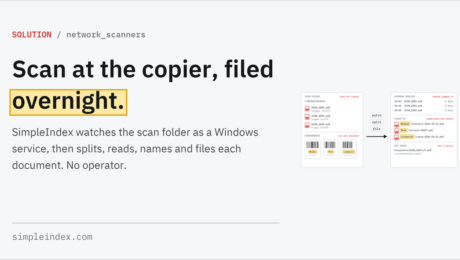
1-Click ProcessingBar Code ScanningBarcode Recognition SoftwareDistributed ScanningDocument Indexingoffline OCRon-prem OCRon-site OCROne-time payment OCRPDF Document ScanningScanning Coversheet (SimpleCoversheet)Self-hosted OCRServer ProcessingSubscription free OCRSunshine OCR (Sunshine Software)Unattended
Automatic Indexing Using Existing Data
Wednesday, 24 January 2018
by Simple Software
Automatic Indexing Using Existing Data Autofill, writing new records and attaching scans to existing ones are covered for SimpleIndex 12 on the Database integration page. The Autofill feature of SimpleIndex is an easy way to associate many index fields with one document without retyping data that already exists in another database. Autofill uses a database
1-Click ProcessingAutomatic Data CaptureAutomatic Indexing SoftwareBarcode Recognition SoftwareDatabaseDatabase AutofillDocument AutomationDocument IndexingFull Text IndexingKeyword IndexingMetadataMicrosoft Word Data ExtractionOCR (Optical Character Recognition)Office PDF Text Processingoffline OCRon-prem OCRon-site OCROne-time payment OCRPDF Data Extraction SoftwareScanned Document IndexingScanning SoftwareSelf-hosted OCRSubscription free OCRSunshine OCR (Sunshine Software)
Streamlined Interface
Tuesday, 23 January 2018
by Simple Software
Maximum Data, Minimum Clicks As with any repetitive task, a few seconds saved scanning and filing a single document quickly adds up to dozens or hundreds of hours over the course of a long project or daily routine. The most import part of planning your document capture project is to find the most efficient way
Automatic Data CaptureBarcode Recognition SoftwareBatch ScanningCommand Line InterfaceDatabaseDocument AutomationDocument Capture SolutionDocument ClassificationDocument ImagingFast ScanningOCR (Optical Character Recognition)Office PDF Text Processingon-prem OCRon-site OCRRPA (Robotic Process Automation)Scanning SoftwareServer ProcessingSunshine OCR (Sunshine Software)TWAIN & ISIS ScanningUnattendedWorkflow Manager
Barcode Scanning Guide
Saturday, 13 January 2018
by Simple Software
So you want to organize your documents using barcodes? That is an excellent idea! Not only will it improve the speed and accuracy of your document management workflow, but it is easier to set up than it sounds. The guide is written to give you real information instead of marketing, but you can follow the
Bar Code ScanningBarcode OCRBarcode Printing (Bar Code Printing)Barcode Reading SoftwareBarcode Recognition SoftwareBatch ScanningDocument Capture SolutionDocument ScanningFast ScanningFront End ScanningImage Scanningon-prem OCRon-site OCRPDF Archive Scanning SoftwarePDF Barcode RecognitionScanned Document IndexingScanning SoftwareSunshine OCR (Sunshine Software)TWAIN & ISIS Scanning
Document Barcode Recognition
Saturday, 13 January 2018
by Simple Software
This video shows how barcode recognition can be used with our 1-click processing feature to index files quickly, easily, and accurately. If you are unfamiliar with the use of barcodes in document scanning, you can learn more about barcodes in our Barcode Scanning Guide. With a single click, a batch of documents is imported, barcodes
- 1
- 2
