
Automatic indexing software for scanned and electronic documents
Indexing is the expensive part of scanning: someone reading each page and typing a name, a date or an account number. SimpleIndex does that reading for you. It takes index values from barcodes, from a zone you draw or a pattern anywhere on the page (zone and dynamic OCR), or, in version 12, from a plain-English question put to an AI engine. Then it names, splits and files each document by them.
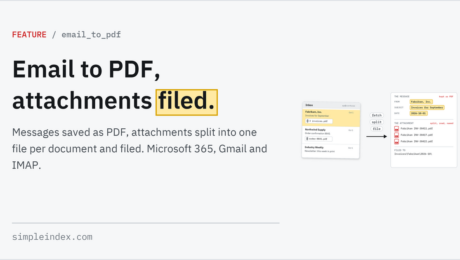
It works the same on paper from a TWAIN or ISIS scanner and on files that are already electronic: PDFs, images and Office documents, with email as a source in Professional. Values can be checked against your own database as they are read and written back to it, to the folders you already use, or to SharePoint in Professional.
Standard ($600 once) indexes by barcode, with an operator confirming values. Professional ($1,800 once) adds the engines accurate enough to index from printed text without anyone typing. The Server add-on runs either one unattended from a watched folder. The local engines have no per-page fees.
Try it free on your own documents → · Compare editions →
Learn More About SimpleIndex

Exclude Index Field from Index Log
Turn Off Prompts and Pop Ups on Job Configurations
Change the Font Size of Index Fields
Export Issues and Missing Images after Export
FastImport to Disable Automatic Processing During Import
Large Documents (>500 pages) are Slow to Process
How to activate SimpleView?
How to activate any Add-on or Upgrade to SimpleIndex?
What is Document Imaging?
Advanced Custom Settings
Is SimpleIndex for Windows only? I’m a Mac user.
- Published in Licensing & Installation
How much do Simple Software products cost?
- Published in Licensing & Installation, LoanStacker, SimpleCoversheet, SimpleExport, SimpleQB, SimpleSend, SimpleView
On what versions of Windows does SimpleIndex run?
- Published in Licensing & Installation
How do i setup Simpleindex to use a Database table field as a list file when the table is not the same as the table i am using on the Database Tab.
- Published in Licensing & Installation