
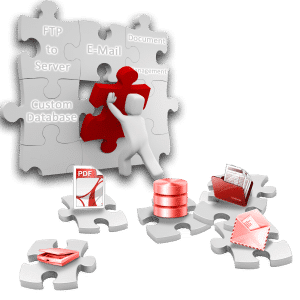
 SimpleIndex lets you create searchable PDF documents from scanned images using OCR to convert the pages to text and overlay it on the original scan. This creates a unique scanned document that’s fully searchable and lets you highlight and copy text, while preserving the original page formatting for readability.
Unlike other basic OCR applications, SimpleIndex also lets you automatically tag and organize documents using keywords identified with pattern matching, database lookups or bar codes. Structured data can be used to populate a database, document management system, SharePoint and other repositories.

Can OCR text be saved to Office, Text, HTML or other formats?
Wednesday, 28 February 2018
Yes. On the OCR step of the Job Settings Wizard you can select the text output format need in the “Full-page OCR file type” drop down. By default it is set to PDF, but can be changed to Text (txt), Word (docx), Rich Text (rtf), Open Office (odt), Excel (xlsx), PowerPoint (pptx), ePub Zip (epub),
- Published in Licensing & Installation, OCR
No Comments
Can SimpleIndex create searchable PDF Image+Text files with hidden text?
Wednesday, 28 February 2018
Yes, it can. You can configure this setting in the Job Settings Wizard by going to the OCR step and checking “Enable full-page OCR”. There are many settings in the OCR step that you can used to customize the output and recognition of images. SimpleIndex has two different OCR engines (Standard and Professional) that can
- Published in Export, OCR, Office PDF Text Processing
Full-Page OCR Indexing Demo
Saturday, 13 January 2018
This sample job demonstrates the ability for SimpleIndex to convert scanned documents to searchable PDF files and extract index data from the OCR text. It also demonstrates the multi-user workflow capabilities. Step 1 uses a full-page OCR process on each image. Field data is extracted from the full-page text using template and dictionary matching algorithms.
PDF Text Processing Demo
Friday, 12 January 2018
This sample job demonstrates the PDF text processing capabilities of SimpleIndex by extracting the Document Number, Date, Document Type, Customer and Total from a number of documents without OCR, by processing the text layer of PDF files. Computer-generated PDF files, such as those created using PDF printer drivers, already contain digitized text. SimpleIndex reads the
Searching and Viewing Documents
Wednesday, 04 October 2017
If you have not yet decided on a plan for how to organize your electronic documents for later retrieval, you should take some time to consider the possible options. There are several ways to search and view documents processed with SimpleIndex® Use SimpleSearch to use keyword searches to find and view indexed documents Use SimpleView
- 1
- 2