
Video Demos
 These videos demonstrate several ways SimpleIndex® can automatically index different types of documents. If you are new to SimpleIndex, watching these videos is the easiest way to see what it can do. You can follow along using the sample files included in the SimpleIndex Trial.
- Zone OCR with template matching
- Document barcode recognition
- PDF OCR text parsing
- Sort and index MS Office documents
- Indexing with full-text OCR
- Running jobs from an icon
The sample files are copied to your Configuration Folder when you run the SimpleIndex Trial for the first time. If you can't find the samples, copy them with the Global Settings Wizard in the File menu.
Compare Major Scanning Solutions
Compare the SimpleIndex scanning and indexing workflow to 4 leading desktop document imaging applications--Kofax Express™, Kodak Capture Pro™, PaperVision™ Capture Express and Office Gemini DiamondVision™.
Compare SimpleIndex to the competition
University of SimpleSoftware
Extensive online training videos for the SimpleSoftware product line are available at the University of SimpleSoftware. Live versions of each class can also be scheduled with our support staff.
Visit the Simple Software University
Integrated Solutions Built with SimpleIndex

 SimpleInvoice
Uses the OCR and dictionary matching functionality of the SimpleIndex scanning and indexing software to automatically scan, name, and organize incoming invoices into your chosen folder structure of searchable PDF files.
SimpleQB
Scan invoices, OCR the key data and automatically receive bills in QuickBooks accounting software. SimpleQB can transfer transaction data from SimpleIndex to QuickBooks, automating your scanning and data entry tasks simultaneously.
LoanStacker for Mortgages
Use OCR with a preconfigured dictionary file to recognize over 300 mortgage origination and closing documents. Automate scanning to popular mortgage applications like Calyx Point and EllieMae Encompass.
Find out more by going to LoanStacker.com.
SimpleIndex with Contentverse Document Management
SimpleIndex is the perfect front-end scanning tool for your document management system. These videos show several ways that SimpleIndex can be configured to automate document capture with the CompuThink Contentverse document management solution.
SharePoint Scanning
Automatically organize files and set custom column metadata in SharePoint using SimpleIndex index fields.
Screenshot OCR
Use screen captures to get index data from any application.
Patent ID and Title Extraction
Out-of-the-box configuration extracts the Patent ID Number and Title from any US patent application.
Zone OCR with Template Matching
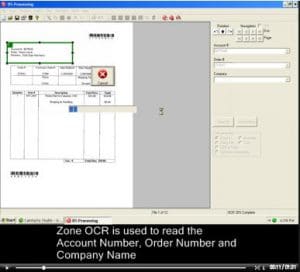 This video shows the Zone OCR Invoice Processing sample job. Zone OCR is the traditional method for extracting index data from printed text that appears in a fixed location on every page.
The video also shows how Zone OCR is enhanced with SimpleIndex's Template Matching and Dictionary Matching features, giving you much more margin for error than other solutions.
Watch the Zone OCR Video
Document Barcode Recognition
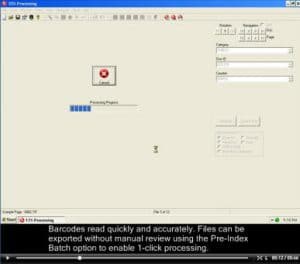 This video shows how barcode recognition can be used with our 1-click processing feature to index files quickly, easily and accurately.
With a single click a batch of documents is imported, barcodes are recognized and files are exported to organized folders and filenames as well as a SimpleSearch document database.
In the second part of the video, a SimpleSearch configuration is used to search and view the files processed in the first part.
Watch the Barcode Recognition Video
PDF OCR Text Parsing
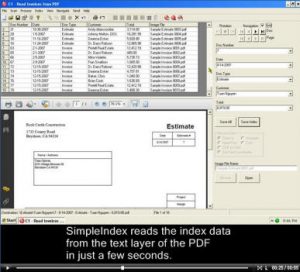 This video demonstrates the PDF OCR text processing capabilities of SimpleIndex by extracting the Document Number, Date, Document Type, Customer and Total from a number of Estimates and Invoices.
All of this information is read automatically using the existing text layer of a computer generated PDF, such as those created using PDF printer drivers. Template and dictionary matching algorithms are used to locate and extract the correct data values from the text.
Since the existing text is being used, OCR is not performed. This makes processing much faster and 100% accurate. OCR can be used to get text from scanned PDF files with no existing text.
Watch the PDF OCR Text Parsing Video
Sort and Index MS Office Documents
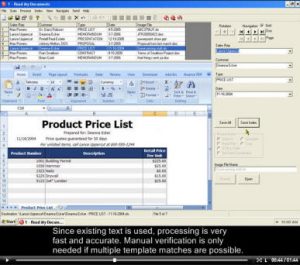 This video shows the Read My Documents sample configuration.
Word documents, Excel spreadsheets and PowerPoint presentations are automatically sorted using the SimpleIndex template and dictionary matching algorithms.
The files are reorganized using the Sales Rep, Customer, Document Type and Date extracted from the text.
SimpleSearch is then used to search and view the sorted files.
Watch the MS Office OCR Text Parsing Video
Full Page OCR Invoice Processing
This job configuration uses a 3-step process to automate the OCR processing. First, full-page OCR is performed on each image. Field data is extracted from the full-page OCR using template and dictionary matching algorithms. This is done in Pre-Index mode to allow unattended processing. Data is saved to a database so it can be reviewed and corrected in Step 2.
Step 2 uses Database Update mode to find images with missing index values and allows the user to manually enter the correct data.
Step 3 uses a SimpleSearch configuration to search and view the indexed images, including full text searches.
Watch the Full Page OCR Video
Running Jobs from an Icon
One of the most powerful features of SimpleIndex is its ability to be launched from a command line. This allows you to save job configurations to an icon that can be launched by double-clicking it. Processing can be fully automated so that it runs minimized in the taskbar and requires no user interaction whatsoever.
This video shows what happens when you run the various sample jobs in this way.
Watch the 1-Click Processing Video
Learn More:
- More products from Simple Software.
- How to create searchable PDF files using optical character recognition software?
- Convert scanned documents or PDF files to Excel, Google Sheets, CSV and other spreadsheet formats.
- Creating dataflow from text to Databases.
- Everything about Document Management
- Batch OCR for Full-Text Conversion & Searchable PDF.
- Enterprise OCR Servers let you perform OCR on thousands of documents at a time.
- OCR to process Invoices.
- What is OCR Data Capture?
- But what if I need to process a lot of specific medical forms (CMS 1500, UB-04, or J430 Dental Claims Forms)?
- OCR to process loan forms for Real Estate agents and Mortgage brokers.
Search
Contact Us Today!
Search Knowledge Base
Recent KB Articles
- How to activate any Add-on or Upgrade to SimpleIndex?
- How do I purchase, register and activate Simple Software products?
- How to test if ISIS drivers work properly?
- How to test if TWAIN drivers work properly?
- How to test if TWAIN/ISIS drivers work properly?
- Clear Recent Jobs List
- Why are my barcodes not being recognized properly?
- How do I configure SimpleIndex to scan documents?
