
SIGN IN YOUR ACCOUNT TO HAVE ACCESS TO DIFFERENT FEATURES

Login with Google

CREATE AN ACCOUNT FORGOT YOUR PASSWORD?

FORGOT YOUR DETAILS?

AAH, WAIT, I REMEMBER NOW!

CREATE ACCOUNT

ALREADY HAVE AN ACCOUNT?

Login with Google

QUESTIONS? CALL: 865-637-8986
  • SIGN UP
  • LOGIN

SimpleIndex

  • Solutions
  • Features
  • Pricing
  • Download
  • Docs & Support
  • My Account
  • MY CART
    No products in cart.

Batch Convert Office Documents to PDF
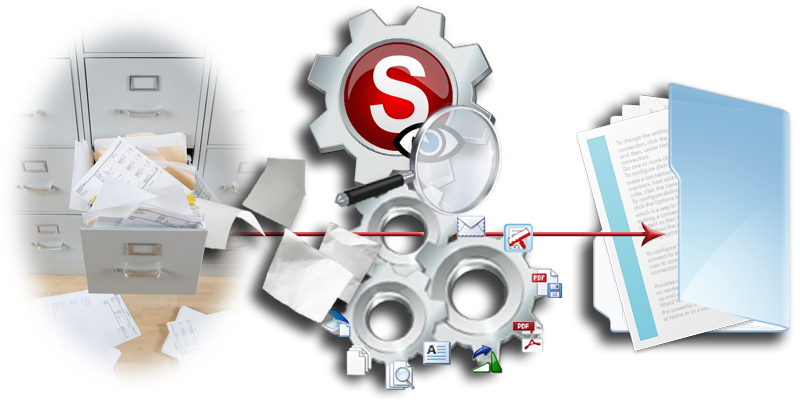
If you have Microsoft Office or OpenOffice installed, you can use SimpleIndex to automatically convert MS Office documents to PDF files for archival. PDF files are better for archival than editable formats like Word and Excel. They can be annotated, encrypted, searched and viewed with free PDF readers.

There are many free applications that let you convert documents to PDF one at a time. SimpleIndex lets you convert thousands of files at once while it also extracts data from the text for indexing or data entry automation. This feature is ideal for migrating or archiving Office documents to SharePoint, document management systems and custom web applications.

SimpleIndex can read data from filled-in PDF forms and use it to index documents, export to CSV, XML or any database. SimpleIndex can also fill in blank PDF forms using data extracted from documents or contained within a database or Excel file.

PDF form filling in SimpleIndex →

On what versions of Windows does SimpleIndex run?

Wednesday, 28 February 2018 by dwilder
SimpleIndex 12 will run on 64-bit Windows 11 and 10, and Windows Server 2016, 2019, 2022 and 2025. SimpleIndex 11 and 10 will run on Windows 11, 10, 8, Server 2022, Server 2019, Server 2016 and Server 2012 editions. It would not run on Windows ME or NT. SimpleIndex 9.2.50 to 9.0 will run on
Automatic Indexing SoftwareDocument IndexingFill & Read PDF FormsOffice PDF Text ProcessingPDF Document Scanning
Read more
  • Published in Licensing & Installation
No Comments

How do you configure OCR to read index information from MS Office or PDF documents?

Wednesday, 28 February 2018 by dwilder
SimpleIndex can just read
Fill & Read PDF FormsMicrosoft Word Data ExtractionMS OfficeOffice PDF Text ProcessingOffice to PDFPaperless OfficePDF Archive Scanning SoftwarePDF Barcode RecognitionPDF Data Extraction SoftwarePDF Document ScanningSearchable PDF OCRText Processing
Read more
  • Published in OCR, Office PDF Text Processing
No Comments

PDF & Office Text Parsing

Tuesday, 03 October 2017 by dwilder
Office Videos | PDF Video The template and dictionary matching capabilities of SimpleIndex‘s OCR function can be used to extract index information from the text of existing MS Office and PDF files, or any file with an accompanying TXT file. SimpleIndex® will search the document for matches on unique patterns and value lists, then index
Automatic Data CaptureDocument IndexingFill & Read PDF FormsMicrosoft Word Data ExtractionMS OfficeOffice PDF Text ProcessingOffice to PDFoffline OCRon-prem OCRon-site OCROne-time payment OCRPaperless OfficePDF Archive Scanning SoftwarePDF Barcode RecognitionPDF Data Extraction SoftwarePDF Document ScanningSearchable PDF OCRSelf-hosted OCRSubscription free OCRSunshine OCR (Sunshine Software)Text Processing
Read more
No Comments
  • 1
  • 2

Search

Connect with Us!


What is 7+4?


Search Knowledge Base

Popular KB Articles

  • SimpleIndex - Harvest Scale Tickets, One per File
  • Laboratories
  • SimpleIndex Pro 1 Year User Subscription License
  • Batch OCR Software
  • Optical Mark Recognition (OMR)
  • Forms processing
  • Barcode OCR: split, name and file documents by the barcodes on them.
  • Food and agriculture

Feature Cloud

Barcode Printing (Bar Code Printing) AI Job Assistant Batch Scanning Barcode OCR ABBYY FineReader Bar Code Scanning Automatic PDF Separation Bar Codes Amazon Textract Azure Document Intelligence Archive & Convert Email to PDF AI Document Processing Accounts Payable Automation Barcode Reading Software 1-Click Processing Barcode Recognition Software AI Document Analysis 2 of 5 Automatic Indexing Software Automatic Data Capture
SimpleIndex

On-premise document capture and indexing. Buy it once, run it on your own hardware.

865-637-8986

Newsletter

A few times a year. Unsubscribe any time.

Thanks. Watch for a confirmation email.

Buy

  • Pricing
  • Store
  • Edition and pricing sheet (PDF)
  • Compare all editions
  • Compare with other solutions
  • On-premise vs. cloud costs
  • Video demos
  • Partners and resellers

Features

  • Document capture
  • OCR software (Zone & Dynamic)
  • Batch OCR
  • TWAIN & ISIS scanning
  • PDF & Office text parsing
  • PDF form filling
  • Handwriting & ICR
  • OMR (mark recognition)
  • Forms processing
  • Barcode recognition
  • Database integration
  • Document classification
  • Image clean-up
  • Bates stamping
  • Amazon Textract
  • AI and LLM OCR

Solutions

  • Healthcare
  • Legal
  • Financial services
  • Education
  • Transportation
  • Casinos and gaming
  • Manufacturing and distribution
  • Government and public sector
  • Food and agriculture
  • Laboratories
  • AP automation & QuickBooks
  • SimpleInvoice
  • Local / on-premise AI

Support

  • Getting started
  • How to scan documents
  • Barcode scanning guide
  • Wiki
  • Knowledge base
  • SimpleIndex University
  • Release notes
  • AI Job Assistant
  • Upgrades
  • Check your license
  • Log in
  • Register an account

© 2026 Meta Enterprises, LLC | Knoxville, Tennessee | A Family Owned Company

© 2026 SimpleSoftware | Consulting Services in the Field of Software as a Service

Contact Privacy Policy Cookie preferences
TOP
SimpleIndex
Manage Cookie Consent
We use cookies to optimize our website and our service.
Functional cookies Always active
The technical storage or access is strictly necessary for the legitimate purpose of enabling the use of a specific service explicitly requested by the subscriber or user, or for the sole purpose of carrying out the transmission of a communication over an electronic communications network.
Preferences
The technical storage or access is necessary for the legitimate purpose of storing preferences that are not requested by the subscriber or user.
Statistics
The technical storage or access that is used exclusively for statistical purposes. The technical storage or access that is used exclusively for anonymous statistical purposes. Without a subpoena, voluntary compliance on the part of your Internet Service Provider, or additional records from a third party, information stored or retrieved for this purpose alone cannot usually be used to identify you.
Marketing
The technical storage or access is required to create user profiles to send advertising, or to track the user on a website or across several websites for similar marketing purposes.
  • Manage options
  • Manage services
  • Manage {vendor_count} vendors
  • Read more about these purposes
View preferences
  • {title}
  • {title}
  • {title}