SIGN IN YOUR ACCOUNT TO HAVE ACCESS TO DIFFERENT FEATURES

Login with Google

CREATE AN ACCOUNT FORGOT YOUR PASSWORD?

FORGOT YOUR DETAILS?

AAH, WAIT, I REMEMBER NOW!

CREATE ACCOUNT

ALREADY HAVE AN ACCOUNT?

Login with Google

QUESTIONS? CALL: 865-637-8986
  • SIGN UP
  • LOGIN

SimpleIndex

  • Solutions
  • Features
  • Pricing
  • Download
  • Docs & Support
  • My Account
  • MY CART
    No products in cart.

Automatic Web Image Optimization

There are a number of tools that optimize images for websites. Most of them run on your web server and optimize images after you upload them.

But what if you could take images that are linked to product data in a database and automatically rename them using things like item description and SKU while you optimize them? This would give you additional Search Engine Optimization benefits that you can’t get from standard compression and web optimization tools.

Why is it important to optimize web images?

These days, when most of the things in life are happening online, it is extremely important to make sure that your web presence works well. And images are an invaluable asset to it.

On one side, images need to look pretty to attract audiences and customers, but they also need to be light enough to make sure that your page loads in less than 2 seconds, even on slower cellular networks.

More importantly, Google needs to be happy with the images you use. There is no need to upset the algorithm so that your page ends up at the bottom of the search results.

There are many ways you can optimize your images. Some of them include plugins on your website, but mostly it is manual work with each image individually. SimpleIndex offers you a way to optimize your web images AUTOMATICALLY!

Size Matters
Probably the most obvious and straightforward task is to make images lighter without losing quality. There are many online services or graphic design programs that will work for that. However, many of them are slowly processing images one by one, while SimpleIndex optimizes images through recompression in bulk quantities, any size of the folder at a time.

SimpleIndex also allows you to automatically resize your images to a standard width or height in pixels.

It also recompresses and changes the format of images to meet more web-friendly standards. By doing this before images are uploaded to the server, you can avoid sending file formats the server can’t read, or press-ready image files that are 100 times bigger than they need to be.

Point it to a folder with all of your product images and SimpleIndex will process all of them at once, changing size, compressing images to make them lighter, and changing the image format to a more standard form, while retaining backup copies of the originals.

Names Matter, Too
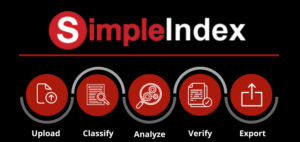
Easily import, classify, process, verify, and export hundres of pages of content in one continuous workflow.When you are researching web image optimization, many sources mostly give advice on how to make your images lighter, how to resize them, or how to change their format. However, none of these tools can be used to rename your files automatically using Search Engine Optimized filenames.

For SEO purposes, it is very important that your image file name has a good description, includes keywords you want to use, and looks unique enough. Optimizing file names will give a significant boost compared to defaults like “image1.jpg” that confer no useful information. This will not only put your images at the top of related image searches, the keywords in the filenames also boost the rank of your page in the main search results.

Many programs that help people with disabilities (who cannot see very well) access web pages automatically read the content of your pages and will just say “image1.jpg”. It would be so much better if an image had a descriptive name instead. Accessibility has been an important and growing part of any SEO since 2021. Changing the filenames of your images will give you a boost on the accessibility front and points for better page ranking.

Changing file names, unfortunately, is mostly done manually and is a very tedious process. But with SimpleIndex, you can change image file names automatically!

Let’s look at a common example workflow:

  1. Vendor provides a spreadsheet with a list of product SKUs, descriptions, and associated image files. However, the files are named with arbitrary names like 0001.jpg or Image1.png, etc.
  2. Product data is loaded into a master database with data from multiple vendors and references to the provided image filenames.
  3. SimpleIndex imports the images from a folder, then looks up the matching product record in the master database to get the SKU, description, and other details.
  4. SimpleIndex renames the image using a designated file naming scheme, such as BrandName_SKU_Description.jpg
  5. Filenames are automatically normalized to remove any special characters not allowed by the webserver. Long descriptions are 
  6. SimpleIndex updates the database record to reflect the new filenames so the link is maintained.
  7. Product data is exported from the master database to the storefront, now with SEO image filenames.

Learn More:

Scan, file, and process document data quickly and efficiently with Simple Software's tailored OCR automation and one-click processing that fits your unique business needs
Use SimpleIndex OCR to convert scanned and digital images to searchable PDF files for automated sorting, filing, and export to applications such as Word, Excel, PowerPoint, etc.
Automatically and accurately convert scanned and digital documents with simple and complicated tables to PDF files, Excel, Google Sheets, CVS, and other spreadsheet formats with Simple Software's advanced document management suite including Abbyy FineReader, Simple Index, SimpleView, SimpleSearch, SimpleSend, SimpleExport, SimpleCoversheet, and AI components
SimpleIndex OCR automation analyzes, classifies, verifies, and exports digital data into searchable documents that can be stored and processed in a variety of SQL applications
Simple Software's Document management OCR (Optical Character Recognition)  uses smart machine-learning and AI (artificial intelligence) methods to convert handwritten and digital text and image data into machine-readable text, allowing users to search, index, and organize large volumes of document data
Simultaneously recognize, analyze, and export large volumes of documents and digital data with SimpleIndex batch OCR (Optical Character Recognition) for processes  dealing with large volumes of documents, such as digitizing paper and scanned archives or processing document data in a document management system
SimpleIndex Server enterprise OCR lets users automatically perform optical character recognition on thousands of documents at a time, scaling to meet the demands of the large volumes of document conversions and processes tailored to the user's specifications
SimpleIndex OCR data capture technology and page layout analysis automatically identifies common invoice data elements (vendor, date, amount, invoice number, line item data, etc.) to automate data entry, eliminate errors, automate retrieval, match POs (Purchase Orders), validate quantities and prices, automate electronic document management and storage

Search

Connect with Us!


What is 7+4?


Search Knowledge Base

Popular KB Articles

  • License Activation Instructions for Simple Software Products
  • The 'Microsoft.ACE.OLEDB.12.0' provider is not registered on the local machine.
  • Language Pack for Standard/Tesseract OCR
  • License Site Update v9.2.50 and Earlier
  • How to test if TWAIN drivers work properly?
  • How much do Simple Software products cost?
  • What are SimpleIndex Specifications?
  • How to test if TWAIN/ISIS drivers work properly?

Feature Cloud

AI Job Assistant Bar Code Scanning Bar Codes 1-Click Processing AI Document Analysis AI Document Processing Automatic Indexing Software Amazon Textract Batch Scanning Barcode Reading Software Barcode OCR Barcode Printing (Bar Code Printing) Archive & Convert Email to PDF 2 of 5 Automatic Data Capture ABBYY FineReader Accounts Payable Automation Azure Document Intelligence Automatic PDF Separation Barcode Recognition Software
SimpleIndex

On-premise document capture and indexing. Buy it once, run it on your own hardware.

865-637-8986

Newsletter

A few times a year. Unsubscribe any time.

Thanks. Watch for a confirmation email.

Buy

  • Pricing
  • Store
  • Edition and pricing sheet (PDF)
  • Compare all editions
  • Compare with other solutions
  • On-premise vs. cloud costs
  • Video demos
  • Authorized dealers
  • Become a dealer

Features

  • Document capture
  • OCR software (Zone & Dynamic)
  • Batch OCR
  • TWAIN & ISIS scanning
  • PDF & Office text parsing
  • PDF form filling
  • Handwriting & ICR
  • OMR (mark recognition)
  • Barcode recognition
  • Database integration
  • Document classification
  • Image clean-up
  • Bates stamping
  • Amazon Textract
  • AI and LLM OCR

Solutions

  • Healthcare
  • Legal
  • Financial services
  • Education
  • Transportation
  • AP automation & QuickBooks
  • SimpleInvoice
  • Local / on-premise AI

Support

  • Getting started
  • How to scan documents
  • Barcode scanning guide
  • Wiki
  • Knowledge base
  • SimpleIndex University
  • Release notes
  • AI Job Assistant
  • Upgrades
  • Check your license
  • Log in
  • Register an account

© 2026 Meta Enterprises, LLC | Knoxville, Tennessee | A Family Owned Company

© 2026 SimpleSoftware | Consulting Services in the Field of Software as a Service

Contact Privacy Policy Cookie preferences
TOP
SimpleIndex
Manage Cookie Consent
We use cookies to optimize our website and our service.
Functional cookies Always active
The technical storage or access is strictly necessary for the legitimate purpose of enabling the use of a specific service explicitly requested by the subscriber or user, or for the sole purpose of carrying out the transmission of a communication over an electronic communications network.
Preferences
The technical storage or access is necessary for the legitimate purpose of storing preferences that are not requested by the subscriber or user.
Statistics
The technical storage or access that is used exclusively for statistical purposes. The technical storage or access that is used exclusively for anonymous statistical purposes. Without a subpoena, voluntary compliance on the part of your Internet Service Provider, or additional records from a third party, information stored or retrieved for this purpose alone cannot usually be used to identify you.
Marketing
The technical storage or access is required to create user profiles to send advertising, or to track the user on a website or across several websites for similar marketing purposes.
  • Manage options
  • Manage services
  • Manage {vendor_count} vendors
  • Read more about these purposes
View preferences
  • {title}
  • {title}
  • {title}