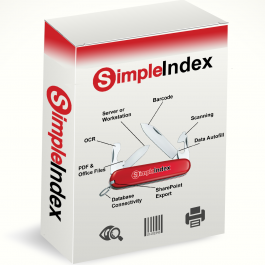
SimpleIndex Professional Concurrent 1 Year User Subscription License
$2,100.00
SimpleIndex Professional Concurrent on an annual subscription at $2,100 a year, support and updates included. One license, not tied to a machine: install it on as many as you like and run it on one at a time. ABBYY FineReader, three cloud recognition services and your choice of language model. The suite applications are not carried by a concurrent license.
In stock
Description
What a concurrent license is
This is one license, and it is not tied to a particular machine. Install SimpleIndex on as many machines as you like. It runs on one of them at a time: while someone has it open, that is where the license is, and when they close it the license is free for the next machine.
That suits a site where several people scan occasionally rather than one person scanning constantly. Shift work, a scanner in each department, a branch office that captures for an hour each morning. Three people can share one license all day as long as they are not at it simultaneously. If two of them genuinely need to work at the same moment, that is a second license.
What a subscription license is
This license is billed annually rather than bought outright. Support and updates are included for as long as the subscription runs, so there is no separate renewal to remember and no year in which you are running an old version without cover.
The software is identical to the perpetual license, with the same features and the same engines. What differs is the commercial arrangement: a smaller figure each year instead of a larger one at the start.
SimpleIndex Professional is the edition for documents whose index values have to be read off the page and have to be right. It adds ABBYY FineReader, three cloud recognition services and your choice of language model to everything Standard does.
Two groups of recognition engines, and you decide which reads what
Professional runs two groups of engines in a fixed order. You assign which engine handles which case in the job settings. Nothing decides that at run time on your behalf.
The first group is SimpleOCR, Tesseract and ABBYY FineReader. They run on the full page, on your own machine, at no per-page cost whatever the volume. This group is also the only one that reports where each word sits on the page, which is what makes a searchable PDF possible, so it runs on everything. FineReader is the reason to be here: it is the engine that holds up on degraded originals, multi-column layouts and non-English text where the free engines struggle.
The second group is the cloud recognition services and the language models, and it handles the cases the first group cannot: fields whose position moves from document to document, and values that have to be understood rather than located. Professional supports AWS Textract, Azure Document Intelligence and Google Document AI, plus Claude, ChatGPT, Gemini and a custom option for anything else. These engines are used on the cases you assign them to, not on every page.
Language models, including ones you host yourself
Pick a provider, paste in your own API key, and assign a model to a zone or to a named field. Claude, ChatGPT and Gemini each have a button in the interface that takes you to the provider’s key setup page, and there is a custom option for anything else.
You can also point Professional at a model you run yourself, including a fully air-gapped machine with no internet connection at all. A small local model runs on a server with as little as 8 GB of memory.
Hosted engines are billed per page by the provider, directly to you, only for the pages you actually send them. That charge is not ours and we do not mark it up. Run a local model and there is no per-page cost at all.
What Professional adds to Standard
- ABBYY FineReader, running locally alongside Tesseract and SimpleOCR
- Three cloud recognition services: AWS Textract, Azure Document Intelligence, Google Document AI
- Language models, hosted or self-hosted, assigned per zone or per field
- Dynamic OCR, which finds a value by the text sitting next to it rather than by a fixed position, so one job handles hundreds of vendor layouts
- Template, dictionary and pattern matching, to check a captured value against what it is allowed to be
- Mark recognition (OMR) for checkboxes and bubbles, and handprint recognition (ICR) for characters written into boxes
- ISIS scanner drivers, for production scanners that ship ISIS rather than TWAIN
- Email as a source, importing messages and their attachments, with OAuth for Office 365 and Gmail
- A screen region as a source, capturing from an application that has no other way out
- SharePoint upload and outbound email as delivery destinations
- QuickBooks integration, Desktop and Online
- XML and JSON parsing, for index data arriving as a file rather than on the page
Every edition, licence type, add-on and suite app side by side: see the full edition comparison.
Barcodes
Professional reads barcodes with the same DTK and Atalasoft engines included in Standard, across dozens of symbologies. Use one as a separator sheet so the job knows where a new document starts, or read a single 2D code and split what it carries into a series of index fields, which is how a driver license or a patient wristband becomes six populated boxes from one scan.
Your database, read and written
SimpleIndex reads from and writes to Microsoft Access, MySQL, SQL Server and anything reachable over ODBC or OLE DB. On the read side it fills in what it already knows: capture a patient ID off a chart and the name, date of birth and admitting physician arrive with it. On the write side, index values and file locations go into a table so later searches are fast, and SimpleIndex itself can be the front end for those searches.
The suite applications are not included with a concurrent license
A Professional workstation license activates SimpleWorkflow, SimpleExport, SimpleCoversheet and SimpleView at no extra cost. A concurrent, or floating, license does not, because a floating license is handed out by the license server for one running copy at a time, and the suite applications have no way to take a share of it.
Each is sold on its own if you need one: SimpleWorkflow, SimpleExport, SimpleCoversheet, SimpleView.
What Professional does not do
- It is not a document management system. There is no check-in and check-out, no retention policy, no permissions model, no approval routing. SimpleIndex feeds the system that does those things.
- It does not run unattended. Someone starts the job, or another application starts it from the command line. Watching a folder and processing what arrives with nobody logged in is the Server processing add-on, which attaches to either edition.
- It is Windows only. There is no macOS or Linux build. Windows in a virtual machine is fine.
- It is not zero configuration. A barcode job can be running the same afternoon. Dynamic OCR across hundreds of vendor layouts takes a few sessions to tune, and we expect to be on the phone with you for some of that.
- Poor originals stay poor. No engine here, ABBYY or otherwise, reads what the scan did not capture. Faded thermal paper and third-generation photocopies need a person to review them.
- Cursive depends on the engine. Hand-printed characters in boxes read well. Flowing cursive reads only on the strongest engines, and never reliably enough to run at volume without someone checking it.
How a job gets built
Jobs. Each kind of document has its own set of index values to capture. Where you tell SimpleIndex what those are and how to read them is called a job, and you can have as many as you like. Scan HR files in the morning and invoices after lunch by opening a different one.
Setup. Creating a job walks you through it a step at a time, with a description and a tooltip on nearly every setting.
One click to run it. Turn on Pre-Index and a single click runs the whole thing: documents scanned, values captured, files saved under meaningful names in the place you chose.
Support. Our team is in Tennessee, reachable by phone or email, and has spent a combined fifty years on this kind of project. For anything involving dynamic OCR or a language model, that matters more than any feature on this page.
What you are buying
A SimpleIndex Professional concurrent license at ,100 a year, with support and updates included for as long as the subscription runs. The license is not tied to a machine: install it on as many as you like and run it on one at a time.
Nothing included in Professional carries a per-page fee. The cloud services and hosted language models are the exception, and those are billed by the provider directly to you. If you would rather own the license outright, the perpetual Professional concurrent license is the same software on the other arrangement.
Requirements
- Operating system: Windows 11 or Windows 10
- Server operating system: Windows Server 2016, 2019, 2022 or 2025
- .NET: .NET Framework 4.8
- Processor: 64-bit CPU, 2 GHz Intel Pentium or higher
- Memory: 8 GB of RAM
- Disk space: 465 MB installer, 1 GB total for all components
- Scanner: a TWAIN, WIA or ISIS scanner driver
- Internet: web access for online activation, and for any cloud or hosted language model engine you use
Try it on your own documents first
Recognition accuracy depends on your scans and your layouts, so the only useful test is the one run against your own paperwork. Download the trial.